PodcastsRank #39236
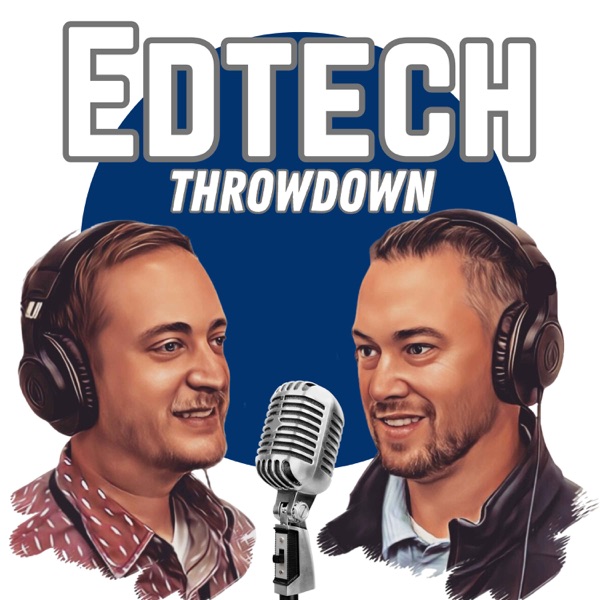
Artwork for GotTechED the Podcast

GotTechED the Podcast

How ToPodcastsEducationENunited-statesDaily or near-daily
4.9 / 5
The Edtech Throwdown podcast (originally GotTechED the Podcast) was created in 2018 by Nick Johnson and Eric Guise with one, singular goal: to provide quality, tech-centric professional development (PD) to busy teachers on the move. As educators who have always been passionate about PD, Nick and Guise have attended and created hundreds of hours of professional learning experiences for teachers, but there has always been one problem ... time! Attending full-day workshops and conferences is difficult and stressful due to missed class time and added prep. With the Edtech Thowdown, Nick and Guise hope to provide busy teachers a way to access educational PD at their convenience.
Top 78.5% by pitch volume (Rank #39236 of 50,000)Data updated Feb 10, 2026

Key Facts

Publishes
Daily or near-daily
Episodes
209
Founded
N/A
Category
How To
Number of listeners
Private
Hidden on public pages

Listen to this Podcast

Pitch this podcast
Get the guest pitch kit.
Book a quick demo to unlock the outreach details you actually need before you hit send.
  • Verified contact + outreach fields
  • Exact listener estimates (not just bands)
  • Reply rate + response timing signals
10 minutes. Friendly walkthrough. No pressure.
Book a demo
Public snapshot
Audience: Under 4K / month
Canonical: https://podpitch.com/podcasts/gotteched-the-podcast
Cadence: Active monthly
Reply rate: Under 2%

Latest Episodes

Back to top

Tips and Tricks for 2026: Chrome and Gmail

Mon Jan 26 2026

Listen

Edtech ThrowdownEpisode 207: Tips and Tricks for 2026: Chrome and Gmail Welcome to the EdTech Throwdown.  This is episode 207 called “Tips and Tricks for 2026: Chrome and Gmail”  In this episode, we’ll talk about some of our favorite tips for surfing the web with chrome and sending or receiving emails in Gmail.  Hopefully these hacks can help make your day a little easier.  This is another episode you don’t want to miss.  Check it out. Segment 1: Lost but Now Found Restore lost or accidentally Control Shift T Command Shift T on a MACZoom in and OutControl +/- Segment 2: Edtech Tips and Tricks Google Chrome Tips and Tricks Nick QR CodeGo to the site > Three Dots > Cast,Save, and Share > Create a QR CodeSmart PDF HighlightingUse the "Link to Highlight" feature in Chrome. Right-click any text on a webpage and select "Copy link to highlight." When students click it, they are taken exactly to that sentence on the page.Use Google Lens to grab text from images.  Go to the 3 dots > Search with Google Lens > drag around the image with the text you want > choose Copy Text Guise Add Tab to Group (Right click on a tab, hit add to group)Send Tabs Across Devices If you find a recipe on your laptop but want to take it to the kitchen on your phone, right-click the tab (or the address bar) and selectSend to your devices. It pops up as a notification on your other device instantly..Make the site an APP: Go to the site > Three Dots > Save and Share > Install page as app. It will now have its own icon in your Taskbar/Dock and won't get lost in your tabs.  Gmail Nick: Find Large AttachmentsType larger:10m in the search bar to find every email taking up more than 10MB. It’s the fastest way to clear storage space.Schedule Send LaterTemplates (Canned Responses)Enable this in Settings > Advanced. Save your standard "Late Work Policy" or "Meeting Request" as a template. To use it, click the three dots in a new draft and hit "Templates." Guise: Undo SendGo to Settings > See all settings > Undo Send and change it to 30 seconds. It’s the ultimate "safety net" for typos.ArchiveThe "Plus" Addressing HackIf your email is teacher@gmail.com, you can use teacher+newsletters@gmail.com to sign up for sites. Gmail ignores everything after the +, but you can create a Filter to automatically label or skip the inbox for anything sent to that specific "plus" address. Edtech Throwdown:  Vote on twitter @edtechthrowdown and under the pinned post on the...

More

Edtech ThrowdownEpisode 207: Tips and Tricks for 2026: Chrome and Gmail Welcome to the EdTech Throwdown.  This is episode 207 called “Tips and Tricks for 2026: Chrome and Gmail”  In this episode, we’ll talk about some of our favorite tips for surfing the web with chrome and sending or receiving emails in Gmail.  Hopefully these hacks can help make your day a little easier.  This is another episode you don’t want to miss.  Check it out. Segment 1: Lost but Now Found Restore lost or accidentally Control Shift T Command Shift T on a MACZoom in and OutControl +/- Segment 2: Edtech Tips and Tricks Google Chrome Tips and Tricks Nick QR CodeGo to the site > Three Dots > Cast,Save, and Share > Create a QR CodeSmart PDF HighlightingUse the "Link to Highlight" feature in Chrome. Right-click any text on a webpage and select "Copy link to highlight." When students click it, they are taken exactly to that sentence on the page.Use Google Lens to grab text from images.  Go to the 3 dots > Search with Google Lens > drag around the image with the text you want > choose Copy Text Guise Add Tab to Group (Right click on a tab, hit add to group)Send Tabs Across Devices If you find a recipe on your laptop but want to take it to the kitchen on your phone, right-click the tab (or the address bar) and selectSend to your devices. It pops up as a notification on your other device instantly..Make the site an APP: Go to the site > Three Dots > Save and Share > Install page as app. It will now have its own icon in your Taskbar/Dock and won't get lost in your tabs.  Gmail Nick: Find Large AttachmentsType larger:10m in the search bar to find every email taking up more than 10MB. It’s the fastest way to clear storage space.Schedule Send LaterTemplates (Canned Responses)Enable this in Settings > Advanced. Save your standard "Late Work Policy" or "Meeting Request" as a template. To use it, click the three dots in a new draft and hit "Templates." Guise: Undo SendGo to Settings > See all settings > Undo Send and change it to 30 seconds. It’s the ultimate "safety net" for typos.ArchiveThe "Plus" Addressing HackIf your email is teacher@gmail.com, you can use teacher+newsletters@gmail.com to sign up for sites. Gmail ignores everything after the +, but you can create a Filter to automatically label or skip the inbox for anything sent to that specific "plus" address. Edtech Throwdown:  Vote on twitter @edtechthrowdown and under the pinned post on the...

Key Metrics

Back to top
Pitches sent
7
From PodPitch users
Rank
#39236
Top 78.5% by pitch volume (Rank #39236 of 50,000)
Average rating
4.9
Ratings count may be unavailable
Reviews
9
Written reviews (when available)
Publish cadence
Daily or near-daily
Active monthly
Episode count
209
Data updated
Feb 10, 2026
Social followers
1.4K

Public Snapshot

Back to top
Country
United States
Language
English
Language (ISO)
Release cadence
Daily or near-daily
Latest episode date
Mon Jan 26 2026

Audience & Outreach (Public)

Back to top
Audience range
Under 4K / month
Public band
Reply rate band
Under 2%
Public band
Response time band
Private
Hidden on public pages
Replies received
Private
Hidden on public pages

Public ranges are rounded for privacy. Unlock the full report for exact values.

Presence & Signals

Back to top
Social followers
1.4K
Contact available
Yes
Masked on public pages
Sponsors detected
No
Guest format
Yes

Social links

No public profiles listed.

Demo to Unlock Full Outreach Intelligence

We publicly share enough context for discovery. For actionable outreach data, unlock the private blocks below.

Audience & Growth
Demo to unlock
Monthly listeners49,360
Reply rate18.2%
Avg response4.1 days
See audience size and growth. Demo to unlock.
Contact preview
e***@hidden
Get verified host contact details. Demo to unlock.
Sponsor signals
Demo to unlock
Sponsor mentionsLikely
Ad-read historyAvailable
View sponsorship signals and ad read history. Demo to unlock.
Book a demo

How To Pitch GotTechED the Podcast

Back to top

Want to get booked on podcasts like this?

Become the guest your future customers already trust.

PodPitch helps you find shows, draft personalized pitches, and hit send faster. We share enough public context for discovery; for actionable outreach data, unlock the private blocks.

  • Identify shows that match your audience and offer.
  • Write pitches in your voice (nothing sends without you).
  • Move from “maybe later” to booked interviews faster.
  • Unlock deeper outreach intelligence with a quick demo.

This show is Rank #39236 by pitch volume, with 7 pitches sent by PodPitch users.

Book a demoBrowse more shows10 minutes. Friendly walkthrough. No pressure.
4.9 / 5
RatingsN/A
Written reviews9

We summarize public review counts here; full review text aggregation is not shown on PodPitch yet.

Frequently Asked Questions About GotTechED the Podcast

Back to top

What is GotTechED the Podcast about?

The Edtech Throwdown podcast (originally GotTechED the Podcast) was created in 2018 by Nick Johnson and Eric Guise with one, singular goal: to provide quality, tech-centric professional development (PD) to busy teachers on the move. As educators who have always been passionate about PD, Nick and Guise have attended and created hundreds of hours of professional learning experiences for teachers, but there has always been one problem ... time! Attending full-day workshops and conferences is difficult and stressful due to missed class time and added prep. With the Edtech Thowdown, Nick and Guise hope to provide busy teachers a way to access educational PD at their convenience.

How often does GotTechED the Podcast publish new episodes?

Daily or near-daily

How many listeners does GotTechED the Podcast get?

PodPitch shows a public audience band (like "Under 4K / month"). Book a demo to unlock exact audience estimates and how we calculate them.

How can I pitch GotTechED the Podcast?

Use PodPitch to access verified outreach details and pitch recommendations for GotTechED the Podcast. Start at https://podpitch.com/try/1.

Which podcasts are similar to GotTechED the Podcast?

This page includes internal links to similar podcasts. You can also browse the full directory at https://podpitch.com/podcasts.

How do I contact GotTechED the Podcast?

Public pages only show a masked contact preview. Book a demo to unlock verified email and outreach fields.

Quick favor for your future self: want podcast bookings without the extra mental load? PodPitch helps you find shows, draft personalized pitches, and hit send faster.